
The Repair Revolution Economics of Making Your Tech Last
Advertisement
The way we interact with technology has changed dramatically over the past two decades, and so has the relationship between consumers and their devices. What was once a straightforward cycle of purchase, use, and replacement has evolved into a complex ecosystem shaped by rapid innovation, rising costs, and growing awareness of sustainability. The evolution of consumer technology has delivered powerful laptops and smartphones at an unprecedented pace, but it has also shortened perceived product lifespans and normalized constant upgrading.
At the same time, the economics of tech ownership are becoming harder to ignore. Devices are more expensive than ever, repair costs are often unclear, and subscription-based services add ongoing expenses long after the initial purchase. For many users, replacing a device feels easier than maintaining it—even when that decision is financially inefficient.
In response, a new shift is emerging: the repair revolution. Consumers are increasingly pushing back against disposable tech culture, demanding longer-lasting products, accessible repairs, and the right to maintain what they own. This movement is redefining how we think about technology—not as short-term commodities, but as long-term investments that can be preserved through informed maintenance and smart repair choices.

The Contextual Timeline
To understand why keeping a device for five years feels like a radical act today, we must look at the trajectory of personal computing. The history of hardware is a pendulum swing from durability to disposability, and now, hopefully, back again.
The Tank Era (1990s – Early 2000s)
In the early days of personal computing, devices like the IBM ThinkPad or the Nokia 3310 were built with a "utility-first" mindset. They were thick, heavy, and modular. If a battery died, you popped the back off and swapped it. If a keyboard broke, you unscrewed it. Upgrading RAM was a standard Sunday afternoon activity. Longevity was the default because the hardware investment was massive, and the technology wasn't miniaturized to the point of being sealed shut.
The Slim & Sealed Era (2007 – 2018)
The debut of the iPhone and the MacBook Air ushered in the "sealed slab" aesthetic. To make devices thinner and lighter, manufacturers soldered components directly to the motherboard and glued batteries inside glass sandwiches. While sleek, this era normalized planned obsolescence. The psychology shifted: "If it breaks, buying a new one is cheaper than fixing it." The upgrade cycle accelerated to 12–18 months, driven by carrier subsidies and the cultural cachet of having the "latest" camera.
The Sustainability & Saturation Phase (2019 – Present)
We hit a wall. Smartphones and laptops reached a performance plateau where the year-over-year gains became marginal. Simultaneously, e-waste became a global crisis, and inflation skyrocketed the price of flagship devices. Consumers began to realize that a $1,200 phone should last longer than two years.
Today, we are at the inflection point of the "New Stewardship." The user is no longer just a consumer; they are a maintainer. With the "Right to Repair" movement gaining legal ground and hardware costs soaring, the smartest move isn't upgrading—it's maintaining.
The High-Growth Pillars
To achieve the "5+ Years" goal, we must treat device maintenance not as a chore, but as a multi-sector discipline. Here is how to break down the care of your ecosystem.
Thermal Management & Internal Hygiene
Heat is the silent killer of all electronics. Over time, thermal paste dries up and fans get clogged, causing the processor to throttle (slow down) to protect itself.
The Dust War: Compressed air is your best friend, but it must be used correctly. For laptops, blasting vents without holding the fan blades still can actually spin them too fast and generate a back-current that damages the motherboard.
Thermal Paste Renewal: This is the single most effective "Laptop maintenance tip" that advanced users ignore. Every 3–4 years, the conductive paste between your CPU and heat sink turns to chalk. Re-applying high-quality paste can drop operating temperatures by 10–15°C, instantly restoring factory-level speed.
Airflow discipline: Never use high-performance laptops on soft surfaces like beds or carpets. It suffocates the intake vents.
The Battery Health Sciences
Batteries are consumable components, chemical reservoirs that degrade with every cycle. However, how you charge dictates whether that degradation happens in 2 years or 5.
The 20-80 Rule: Lithium-ion batteries undergo the most stress when they are completely full (100%) or completely empty (0%). Keeping your device between 20% and 80% charge can essentially double the total cycle life of the battery.
Heat + Voltage = Death: Fast charging is convenient, but it generates excess heat. Using a slow 5W or 10W charger overnight (with optimized charging software enabled) is significantly better for long-term health than blasting it with 65W every day.
Calibration: Once every few months, letting the battery drain to 0% and charging to 100% helps the software calibrate its reading of the physical cell, preventing those moments where your phone dies despite showing "15%".
Software Sanitation & Storage Optimization
A "slow" computer is often just a cluttered one. Digital hoarding slows down the read/write speeds of your SSD.
The 15% Rule: Solid State Drives (SSDs) slow down dramatically when they are nearly full because they need free blocks to move data around efficiently. Always keep at least 15-20% of your storage empty.
OS "Clean Installs": Instead of constantly patching an old operating system, doing a complete "factory reset" or clean install of Windows or macOS every 2 years clears out "registry rot," broken file paths, and leftover drivers from peripherals you no longer own.
Background Vampire Management: Audit your startup apps. Applications like Spotify, Steam, and Adobe Creative Cloud often set themselves to launch silently in the background, eating RAM and battery cycles before you even open them.
Physical Defense Architecture
The physical shell is the first line of defense.
The Case vs. Skin Debate: While skins prevent scratches, they offer zero impact protection. A case with a "lip" (raised edge) is mandatory to protect the screen from face-down drops.
Port Hygiene: A common reason phones stop charging is lint compacted into the USB-C or Lightning port. Using a non-conductive pick (wooden or plastic) to gently clean this port can save you a trip to the repair shop.
The "Disruptor" Analysis
The Main Catalyst: The Right to Repair & AI Diagnostics
The biggest force changing the landscape of tech longevity is the convergence of Legislative Pressure (Right to Repair) and AI-Driven Diagnostics.
For the last decade, manufacturers used proprietary screws, glued-down batteries, and software locks (parts pairing) to prevent third-party repair. The "Disruptor" here is the legal mandate—seen in the EU and increasingly in US states like New York and California—forcing companies to sell parts and manuals to consumers.
Impact List:
Democratization of Repairs: Companies like Apple and Samsung have been forced to launch "Self-Repair Programs." You can now rent the official tools to fix your own screen.
AI-Optimized Charging: Modern operating systems now use on-device AI to learn your sleep patterns. If you wake up at 7 AM, the phone will charge to 80% immediately but wait until 6:30 AM to trickle charge that last 20%, sparing the battery from sitting at high voltage all night.
Modular Revival: We are seeing a niche but growing return to modularity (e.g., Framework Laptops), where ports, mainboards, and screens are user-swappable via simple magnets or standard screws.
Economic & Market Dynamics
Macro Trends: The Shift from CAPEX to OPEX
In corporate terms, Capital Expenditure (CAPEX) is buying a new machine; Operating Expenditure (OPEX) is the cost of maintaining it. For consumers, the economy is shifting toward OPEX.
Rising Hardware Costs: Flagship phones now routinely cost $1,200–$1,600. Laptops hit $3,000 easily. The "entry price" for premium tech has outpaced inflation. This makes the replacement cycle economically painful for the average household.
The "Refurbished" Gold Rush: The fastest-growing market isn't new devices; it’s the certified refurbished market. Platforms like Back Market and manufacturer "Refurbished Stores" are seeing explosive growth. A 2-year-old flagship phone is often 50% of the price but retains 90% of the functionality of a new one.
Emerging Markets
Geographically, regions with high import taxes (like Brazil, India, and Turkey) have long championed repair culture. Now, the West is adopting these "emerging market" habits out of necessity. The global repair service market is projected to grow significantly as consumers in wealthy nations tighten their belts.
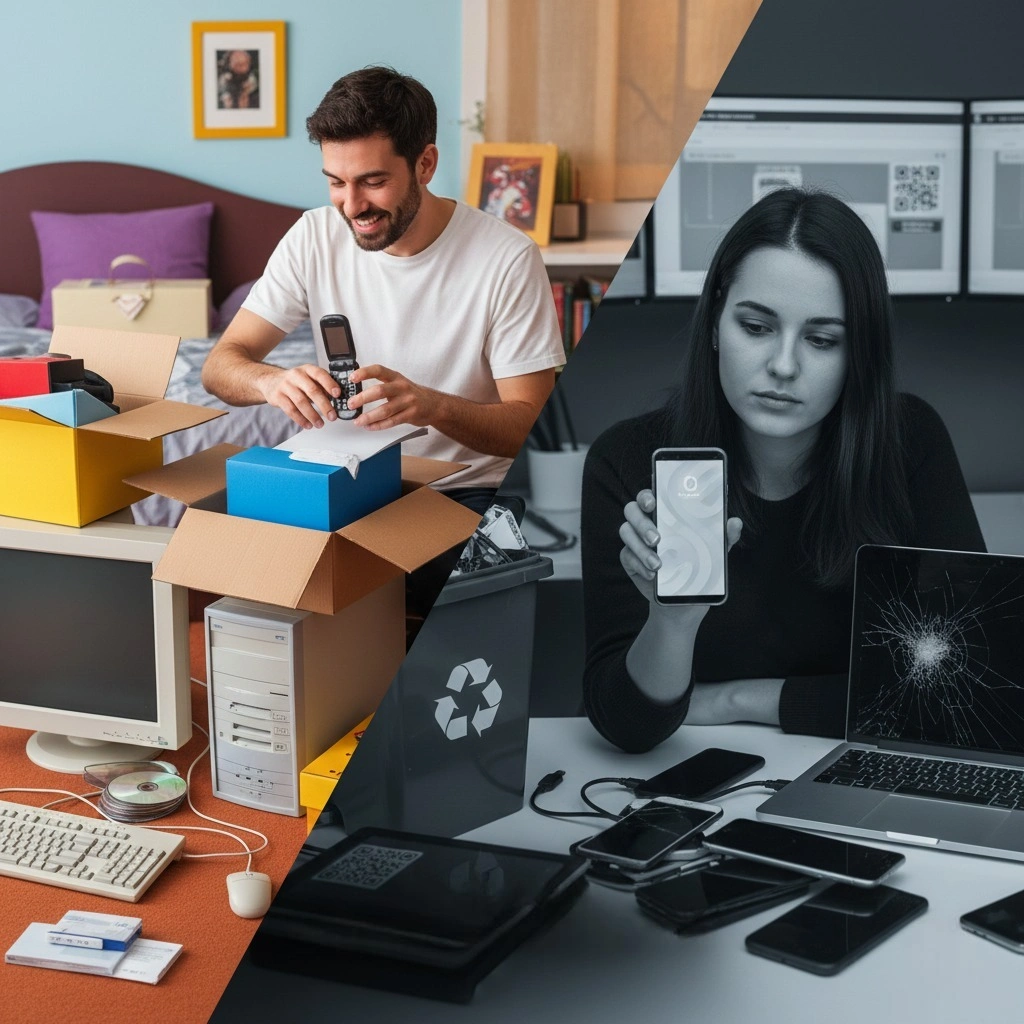
Challenges & Headwinds
The "Reality Check": Planned Obsolescence 2.0
Just because you can physically maintain a device doesn't mean the manufacturer will let you keep using it forever.
Software Lockouts: The biggest threat to the 5+ year plan is the "Security Update Cliff." Once a manufacturer stops issuing security patches (usually after 5–7 years for top brands, but often 2–3 for budget brands), the device becomes unsafe to use for banking or email, regardless of its physical condition.
The "Parts Pairing" Trap: Some manufacturers use software serialization. If you replace a broken screen with a genuine screen from another identical phone, the software might disable FaceID or True Tone simply because the serial numbers don't match the motherboard. This artificial barrier kills the third-party repair market.
App Bloat: Hardware stays static, but software gets heavier. A Facebook or Chrome tab in 2024 requires more RAM than it did in 2018. Eventually, even a well-maintained machine feels sluggish simply because the web has become more demanding.
Future Outlook / Predictions
We predict that by 2028, "Repairability Scores" (like the French repair index) will be as prominent on packaging as "Megapixels" or "Gigabytes." Consumers will vote with their wallets for devices that score a 9/10 on repairability.
New Concept: "The Modular Core": We will likely see a shift where the "brains" of a device (Compute unit) can be swapped out while keeping the "shell" (Screen, Keyboard, Battery). Framework is pioneering this, but larger manufacturers may adopt "Compute Cards" to reduce manufacturing emissions.
Battery Passports: New regulations will require digital passports for batteries, tracking their health, origin, and chemistry, making it easier to buy used devices with confidence regarding their remaining lifespan.
The End of the Annual Keynote: The hype cycle of yearly releases will die a slow death. Tech giants will likely shift to a "Service First" model, where they care less about selling you a new phone and more about keeping you subscribed to their cloud/AI services on your existing phone.
The "Human Element"
Psychological Impact: Breaking the Dopamine Loop
The constant need to upgrade is driven by the "Hedonic Treadmill"—the idea that a new purchase gives us a fleeting happiness boost that quickly fades, leaving us craving the next one.
The Joy of Stewardship
There is a profound, grounded satisfaction in maintaining a tool. Taking apart a laptop, cleaning the fans, and seeing it run silent and cool again fosters a connection to the object. It transforms the device from a disposable commodity into a trusted companion.
Financial Peace
Breaking the cycle of $1,000 yearly upgrades frees up significant capital. Over a decade, the "Maintenance Mindset" can save a user upwards of $5,000–$8,000. That is money that can go toward experiences, savings, or investments.
Environmental Empathy
Every kept device is one less item in a landfill. E-waste is toxic and difficult to recycle. Extending a device's life from 3 years to 5 years significantly reduces the carbon footprint associated with its manufacturing (which accounts for 80% of a device's lifetime emissions).
Frequently Asked Questions
Q: Is it really bad to leave my laptop plugged in all the time?
A: Yes and no. Modern laptops have "Bypass Mode" where they run off wall power once full, but keeping a battery at 100% heat and voltage constantly will degrade it faster. Most modern laptops have a "Battery Limiter" setting (often found in the BIOS or companion app) that caps charging at 60% or 80% for desk use. Enable this!
Q: My phone is water-resistant (IP68). Can I wash it?
A: Do not do this. Water resistance degrades over time as the adhesive seals dry out and loosen. A 3-year-old "waterproof" phone is likely no longer waterproof. Treat it like it hates water.
Q: Does closing apps on my iPhone save battery?
A: Surprisingly, no. Modern iOS and Android are designed to freeze background apps efficiently. Constantly "swiping up" to close them forces the phone to reload the app from scratch next time you open it, which uses more CPU power and battery than just letting it sit in the RAM.
Q: When is a device truly "too old" to save?
A: The line in the sand is usually Security Updates. Once your device no longer receives security patches, it is a liability. However, you can still use it offline (as a music player or e-reader) or install a lightweight Linux distribution (like Linux Mint or ChromeOS Flex) to keep it secure and fast for basic web browsing.
Q: What is the number one "Laptop maintenance tip" for beginners?
A: Keep liquids away. It sounds simple, but liquid damage is the #1 cause of catastrophic, unfixable failure. If you must drink coffee while working, use a spill-proof mug or keep the cup on a separate table lower than your laptop.
Conclusion
The era of disposable technology is ending, not just because the planet demands it, but because our wallets do. We are entering the age of Digital Stoicism—a mindset where we value the reliability and history of our tools over the fleeting gloss of the "new." By mastering simple habits—battery hygiene, thermal care, and physical protection—you don't just save money; you reclaim control from a market designed to make you eternally dissatisfied. The most advanced device isn't the one in the store window; it's the one currently in your pocket, running smoothly because you took the time to care for it.
 Lukasa Christmas Gifts, Christmas Candle Warmer Lamp, with Timer and Dimmer, Adjustable Height Candle Lamp, Wax Melt Warmer for Scented Jar Candles, Christmas Gifts for Women Mom Girls Teens Adults$19.49$29.9935%
 Military Smart Watch for Men(Answer/Make Call), Outdoor Sports Smartwatch with Flashlight/100 Days Battery/Compass/Heart Rate/SpO2/Sleep Monitor/2 Straps, Fitness Tracker for iPhone/Android Phones$22.79$45.5750%
 64 Oz Glass Water Bottles with Straw Lid and Handle, Half Gallon Water Bottle Glass with Silicone Sleeve and Strap, Motivational Glass Bottle with Time Marker, Reusable Sport Water Jug (White)$15$29.9950%
 Managing Subscriptions A Guide to Financial PeaceManaging subscriptions effectively can save you up to $500 every year. Learn how to audit your bills and cut hidden fees with our easy guide. Discover more now.
 Try Luxury Scents for Less with Perfume Subscription DealsScore the best perfume subscription deals to try luxury scents for just $15. Avoid costly mistakes and build a designer fragrance wardrobe. Discover more today.
 How to Shop Sustainably Without Spending More in 2025Sustainable shopping in 2025 focuses on buying less, choosing durable items, reducing waste, and saving money through intentional, value-based decisions.
 Free Things to Do This Weekend Without SpendingSave $100 this weekend with a simple no-buy plan. Learn how to reset your spending habits, reduce stress, and enjoy free, meaningful activities.
 How to Create a Cozy Home on a BudgetDiscover cozy home decorating ideas on a budget and learn affordable home decor tips and interior design tricks to create warmth and style for less